Help & FAQ
Get help with using the Tax Calculator and understanding UK Capital Gains Tax.
Getting Started
You can upload transaction data in two formats:
- QFX files: Export from Interactive Brokers activity statements
- CSV files: Export from Sharesight or other portfolio platforms
Simply click the "Choose File" button and select your file. The calculator will automatically detect the format and process your transactions.
If uploading a CSV file, please ensure it follows this format:
| Date | Type | Symbol | Quantity | Price | Fees | Currency |
|---|---|---|---|---|---|---|
| 2024-01-15 | BUY | AAPL | 10 | 150.00 | 5.00 | USD |
| 2024-06-20 | SELL | AAPL | 5 | 180.00 | 2.00 | USD |
Supported types: BUY, SELL, DIVIDEND, SPLIT, TRANSFER_IN, TRANSFER_OUT. Dates should be YYYY-MM-DD or DD/MM/YYYY.
The calculator follows HMRC guidelines for Capital Gains Tax:
- Section 104 Pooling: Shares of the same class are pooled together. The cost basis is the weighted average cost of all shares in the pool.
- Same Day & 30-Day Rules: "Bed & Breakfast" rules are applied to prevent tax avoidance by selling and repurchasing shortly after.
- Spouse Transfers: Transfers to a spouse (TRANSFER_OUT) are handled as "no gain/no loss" disposals.
- Share Restructuring: Stock splits and consolidations (SPLIT) automatically adjust the share pool quantity while preserving the total cost basis.
- Allowable Costs: Broker fees and stamp duty are deducted from proceeds or added to cost basis.
- Currency: Foreign currency transactions should be in GBP or include exchange rates in your CSV file.
Common Questions
Your financial data is processed securely and is not stored permanently on our servers.
- Processing: Files are uploaded to our secure backend for calculation, then immediately deleted after processing
- No Storage: We do not retain your transaction data, files, or calculation results
- Temporary Only: Data exists only during the calculation process (typically seconds)
- HTTPS: All data transmission is encrypted using industry-standard SSL/TLS
Our calculator follows HMRC guidelines and has been tested with various scenarios. However, always consult with a qualified tax advisor for official tax guidance.
Supported Brokers
Detailed information about CSV formats and requirements for each supported broker.
Expected Columns:
Action- Transaction type (Buy, Sell, Dividend, etc.)Time- Date and time (YYYY-MM-DD HH:MM:SS)ISIN- Security identifierTicker- Stock symbolName- Security nameNo. of shares- QuantityPrice / share- Price per shareCurrency (Price / share)- Transaction currencyExchange rate- FX rate to GBP (if applicable)Total- Total amountWithholding tax,Stamp duty reserve tax,Currency conversion fee- Fees
Sample CSV Content:
Action,Time,ISIN,Ticker,Name,No. of shares,Price / share,Currency (Price / share),Exchange rate,Result,Total,Withholding tax,Currency conversion fee
Market buy,2024-01-15 14:30:00,US0378331005,AAPL,Apple Inc,10,150.00,USD,0.78,0.00,1175.00,0.00,5.00
Dividend (Ordinary),2024-03-01 10:00:00,US0378331005,AAPL,Apple Inc,10,0.24,USD,0.79,0.00,1.89,0.30,0.00
Download Sample CSV
How to Export:
- Log into Trading 212
- Go to History → Export
- Select date range and download CSV
How to Export:
- Log into IBKR Client Portal
- Go to Performance & Reports → Statements
- Select Activity Statement
- Choose date range and format: QFX
- Download and upload to calculator
The calculator automatically processes trades, dividends, and corporate actions from QFX files.
Standard CSV format used by Sharesight and Interactive Brokers Flex Queries.
Required Columns:
Symbol- Stock tickerTradeDate- Transaction dateBuy/SellorCode- Transaction type (Code: O=Buy, C=Sell)Quantity- Number of sharesTradePriceorUnitPrice- Price per shareCurrencyPrimary- Currency (e.g., USD, GBP)
Optional Columns:
IBCommissionorCommission- FeesFXRateToBase- Exchange rate to GBPAssetClass- e.g., STK, CASHDescription- Security name
Sample CSV Content:
Symbol,TradeDate,Buy/Sell,Quantity,TradePrice,CurrencyPrimary,IBCommission,FXRateToBase
AAPL,2024-01-15,BUY,10,150.00,USD,1.00,0.78
AAPL,2024-06-20,SELL,5,180.00,USD,1.00,0.79
MSFT,2024-03-01,DIV,1,2.50,USD,0.00,0.79
Expected Columns:
Date- Transaction date (YYYY-MM-DD)Type- BUY, SELL, DIVIDEND, etc.Ticker- Stock symbolName- Security nameQuantity- Number of sharesPrice- Price per shareTotal- Total amountCurrency- Transaction currency (GBP, USD, EUR)Fee- Trading fees
Sample CSV Content:
Date,Type,Symbol,Quantity,Price,Fees,Currency,Name
2024-01-15,BUY,AAPL,10,150.00,1.50,USD,Apple Inc
2024-06-20,SELL,AAPL,5,180.00,1.50,USD,Apple Inc
2024-03-01,DIVIDEND,AAPL,10,0.24,0.00,USD,Apple Inc
Download Sample CSV
How to Export:
- Open Freetrade app
- Go to Account → Statements
- Request transaction history export
- Download CSV file
Important: If you have USD/EUR stocks, you must manually convert prices to GBP in your CSV before uploading.
Expected Columns:
Trade Date- Transaction dateSettlement Date- Settlement dateAction- Transaction type (YOU BOUGHT, YOU SOLD, DIVIDEND)Symbol- Stock tickerSecurity Description- Security nameQuantity- Number of sharesPrice- Price per shareAmount- Total amountCommission- Trading commissionFees- Other feesSettlement Currency- Currency (GBP, USD, EUR)
Sample CSV Content:
Trade Date,Settlement Date,Action,Symbol,Security Description,Quantity,Price,Amount,Settlement Currency,Commission
15/01/2024,17/01/2024,YOU BOUGHT,AAPL,APPLE INC,10,150.00,-1500.00,USD,0.00
20/06/2024,22/06/2024,YOU SOLD,AAPL,APPLE INC,5,180.00,900.00,USD,0.00
01/03/2024,01/03/2024,DIVIDEND,AAPL,APPLE INC DIVIDEND,10,0.24,2.40,USD,0.00
Download Sample CSV
Date Format:
Supports DD/MM/YYYY or YYYY-MM-DD
Expected Columns:
Date- Transaction date (DD/MM/YYYY)Transaction Type- Purchase, Sale, Dividend, etc.Security- Security nameISIN- Security identifierQuantity- Number of sharesPrice- Price per share (may be in pence)Value- Total value in GBPAccount Type- ISA, SIPP, etc.
Sample CSV Content:
Date,Transaction Type,Notes,Security,ISIN,Quantity,Price,Value
15/01/2024,Purchase,,Apple Inc,US0378331005,10,150.00,1500.00
20/06/2024,Sale,,Apple Inc,US0378331005,5,180.00,900.00
01/03/2024,Dividend,,Apple Inc Dividend,US0378331005,10,0.24,2.40
Download Sample CSV
Special Handling:
- Automatically detects if prices are in pence and converts to pounds
- ISA and SIPP accounts are flagged for tax-exempt treatment
- No ticker symbol provided - uses ISIN or security name
If your broker isn't listed above, you can create a custom CSV with these columns:
Required Columns:
Date- YYYY-MM-DD or DD/MM/YYYYType- BUY, SELL, DIVIDEND, SPLIT, TRANSFER_IN, TRANSFER_OUTSymbol- Stock tickerQuantity- Number of shares (positive for buys, negative for sells)Price- Price per share
Optional Columns:
Fees- Trading fees and commissionsCurrency- Transaction currency (default: GBP)Name- Security name
Sample CSV Content:
Date,Type,Symbol,Name,Quantity,Price,Fees,Currency
2024-01-15,BUY,AAPL,Apple Inc,10,150.00,1.50,GBP
2024-06-20,SELL,AAPL,Apple Inc,5,180.00,1.50,GBP
2024-03-01,DIVIDEND,AAPL,Apple Inc,10,0.24,0.00,GBP
2024-02-10,BUY,TSLA,Tesla Inc,20,200.00,5.00,GBP
Download Sample CSV
Need More Help?
If you can't find the answer you're looking for, or if you want to report an error or request a feature, please reach out on Reddit.
Share Your Feedback
📖 Recommended Reading
Expand your knowledge with these comprehensive guides to UK taxation and investment strategies
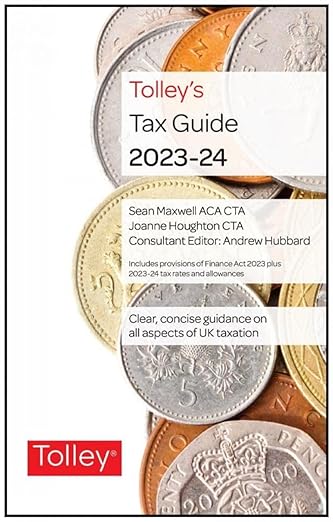
Tolley's Tax Guide 2024-25
by Tolley
The definitive guide to UK taxation including capital gains tax, income tax, and corporation tax. Essential for investor...

Shares and Taxation
by Jimmy B. Prince
A Practical Guide to Saving Tax on Your Shares.

How to Save Property Tax 2024/25
by Carl Bayley
Almost 300 pages of tax planning information for landlords and property investors.
Showing 4 of 12 products